
Bulk actions
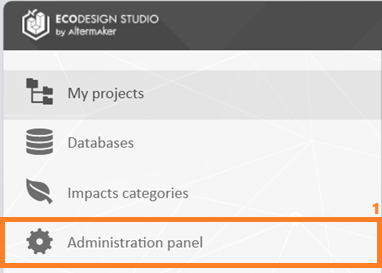
It is possible to update or delete multiple users simultaneously from the "Administration Panel" interface (1).
To access it, open Users and license (2). Then proceed to a multiple selection of users (3).
At the top of the page, the options for updating (4) and deleting (5) will be displayed.
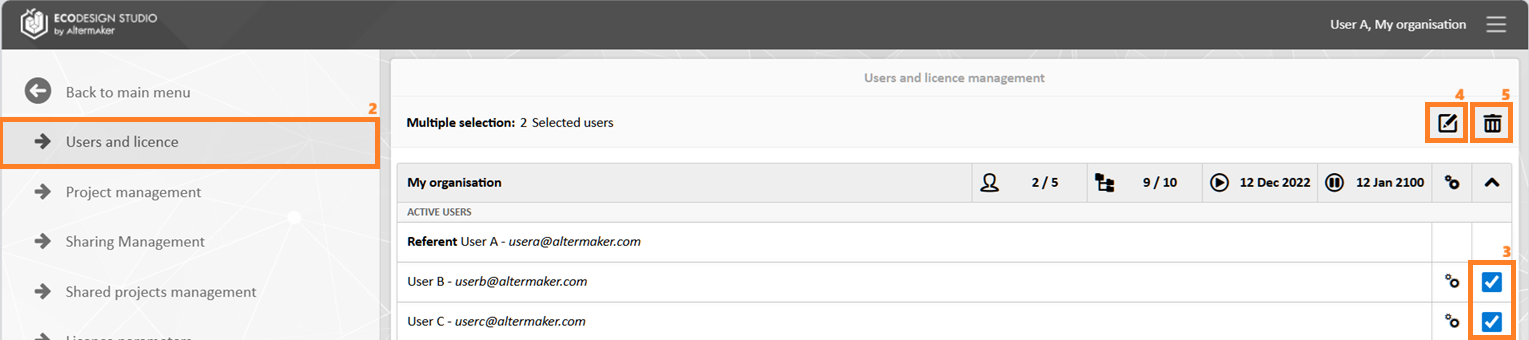
Batch updates (4) include:
- language
- role
- status (active/inactive)
- user-specific start and end dates